A small change. Entirely your call.
Give an old post a fresh start.
Try a search title, a meta description, and an internal link. Edit a suggestion, apply it to the sample, and undo it. No signup, credits, or installation needed.
Current search title
Our composting tips
Sample search preview
Little Garden Journal · /small-garden-composting
Our composting tips
Read our latest tips for getting started with composting.
Sample article paragraph
A healthy compost pile needs a balance of green and brown materials. If you are unsure what to put in your compost bin, start with vegetable scraps, dry leaves, and plain cardboard.
Choose a suggestion, then apply it to the sample page.
Repeat an internal-link review in WordPress
The temporary WordPress Playground installs the official Core 0.1.8 and SEO 0.1.12 packages. It opens a fictional Little Garden Journal site with two published posts and three prepared suggestions. No account or installation on your site is needed.
- Open AI Suite → SEO. The Pending tab starts with three sample suggestions. Find the internal-link suggestion for Our composting tips.
- Compare its existing phrase, “what to put in your compost bin,” with the suggested destination, the separate published post What to put in your compost bin. The source paragraph already contains those words.
- Select Apply reviewed change. The suggestion moves to Applied. Open the source post and check that the existing phrase now links to the ingredients post; the rest of the sentence should stay readable.
- Return to AI Suite → SEO → Applied and try Undo this change. Reopen the post to check the previous paragraph. Undo will refuse to overwrite a newer manual edit.
These posts and suggestions are prepared examples, not live AI results or customer outcomes. External WordPress HTTP requests and live AI generation are disabled. The sandbox is disposable; the first load may take a minute.
The actual plugin screens
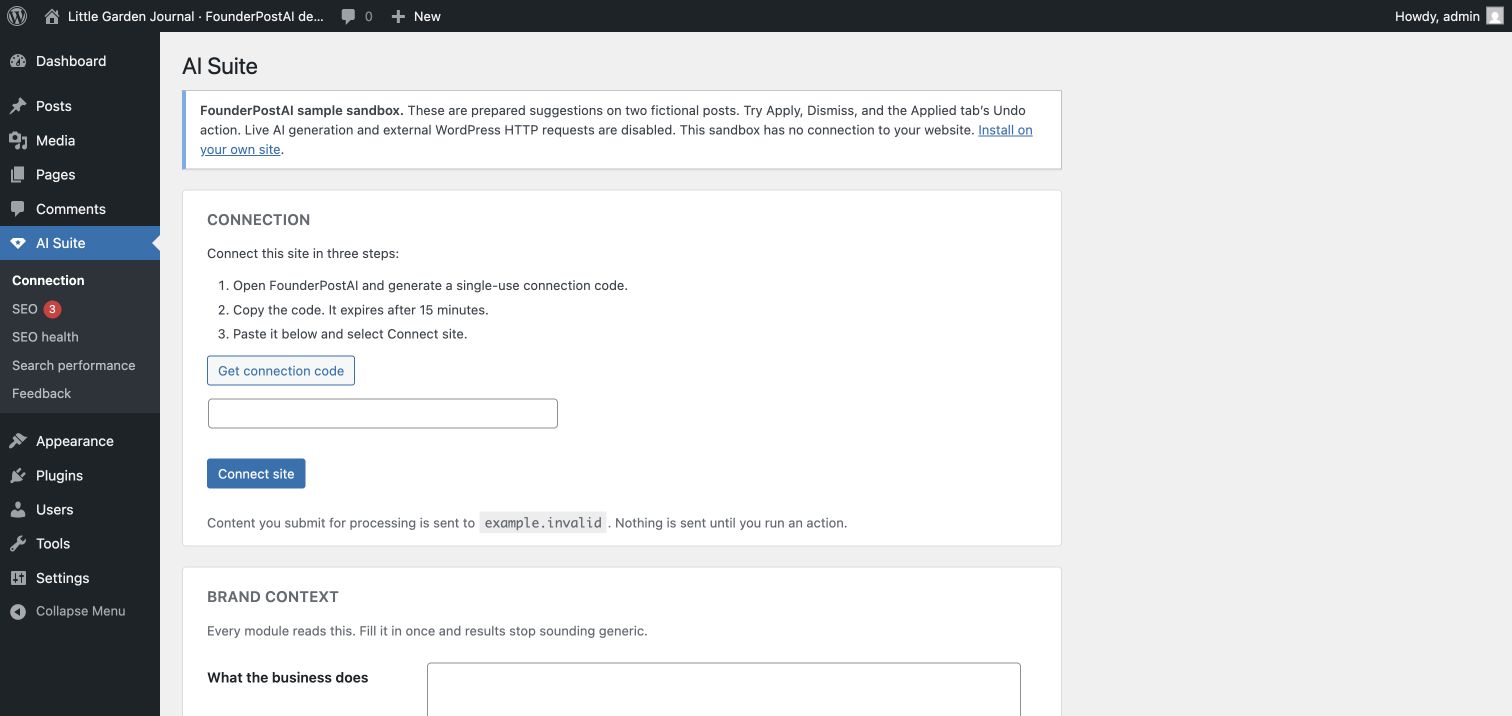
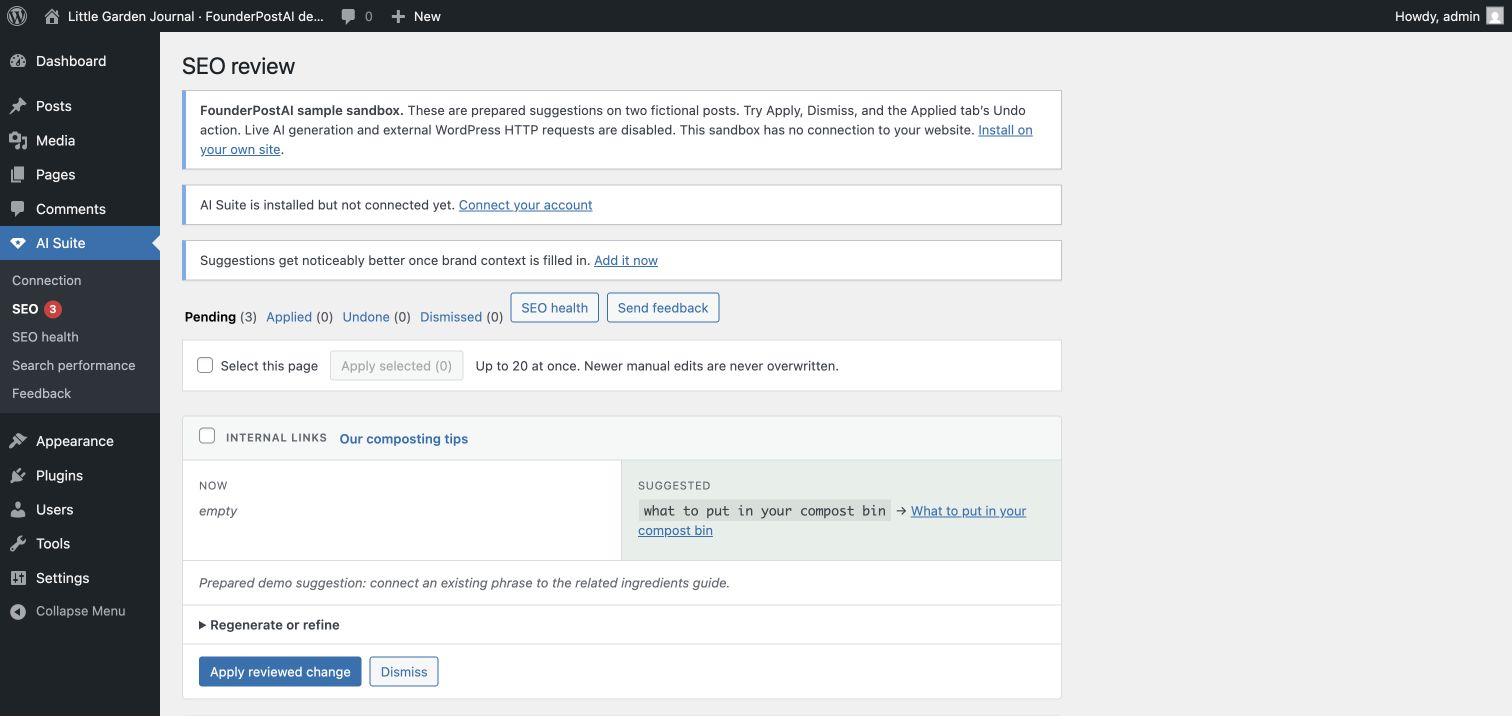
Screenshots were captured from the fictional sample WordPress sandbox. See the before-and-after link example.
Try a title or description in the same sandbox
In AI Suite → SEO, the other two prepared suggestions are for the same fictional post, Our composting tips. Compare the current SEO title with “Composting in a Small Garden: A Beginner’s Guide,” or compare the current description with the proposal about bin placement, ingredients, and material balance. Check each claim against the post before applying anything.
After applying one suggestion, open the post and inspect its public page source for the approved metadata. Return to Applied to try Undo. The WordPress post heading is separate from its SEO title. Search engines may display different title or snippet text.
The suggestions are seeded in the public sandbox blueprint; they were not generated by a live model. See the title guide and description guide for the editorial checks.
Use this workflow on your site
In WordPress, AI Suite creates suggestions from your published content and brand context. You review them before applying a change. Live analysis requires a connected site and managed credits or your own Anthropic key.
Repeat it on five of your posts
Use the five-post starter to select useful articles, save a baseline, verify one change, and record a fair follow-up. Expand to ten when the workflow is useful.
Published · Updated